Set up a separate "time off" Google Calendar for each team, office or employee
As part of our ongoing improvement of our Google Calendar integration, we’ve added a new feature that allows you to create a separate “time off” Google Calendar for each team, office or employee.
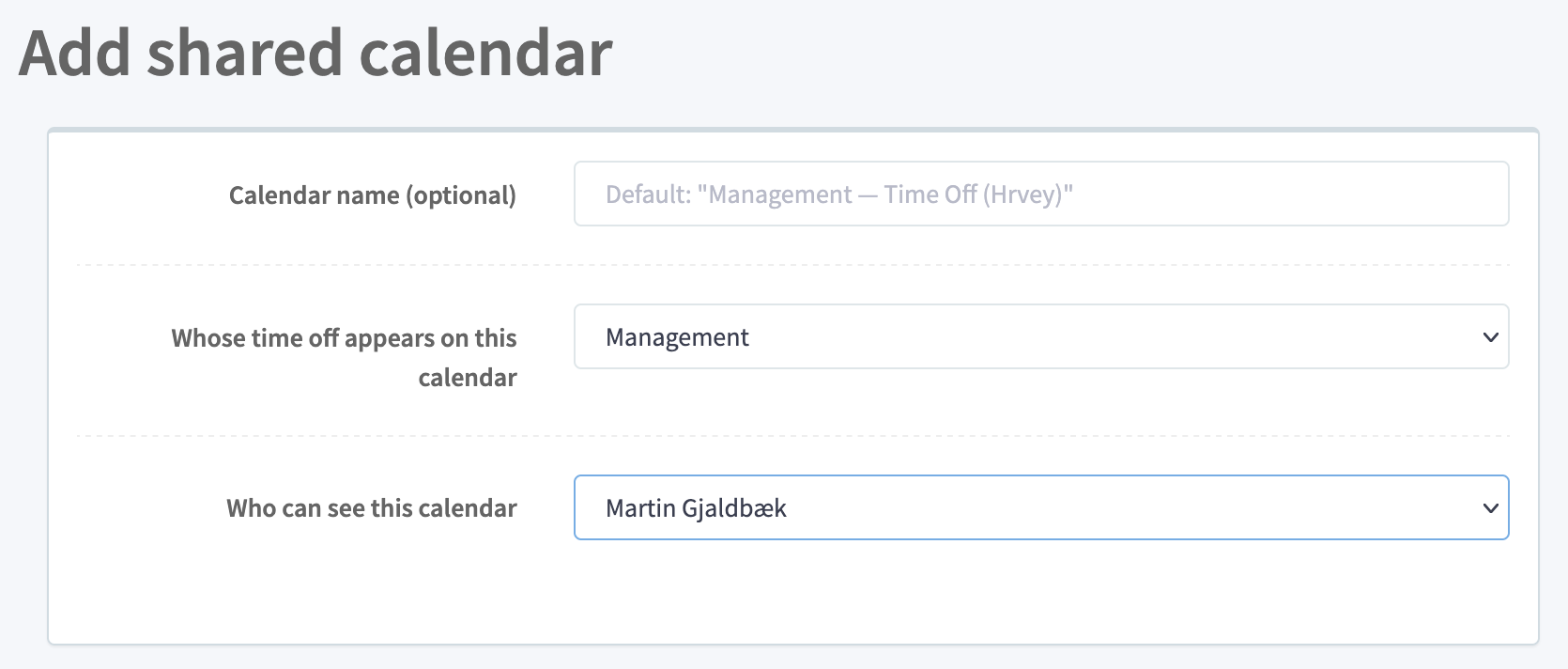
Where previously you could only have a single shared calendar for the whole organization, it’s now possible to create a separate calendar for each group. And it’s possible to configure whose time off is shown, and who the calendar is visible to separately, so who can can see the calendar and whose events are on it don’t have to be the same (although they can be if you want).
“Who can see” and “whose events” can both be chosen from:
- The whole organization (default)
- A specific team
- A specific office
- Everyone that a specific time off approver approves for (e.g. if the same manager manages multiple teams)
- A specific employee
So whether you want a setup where “each team can see time off within their own team”, or “each manager can see time off for those they approve for”, the new system will let you set it up this way.
The fine-grained shared calendar feature is available on Hrvey Premium. If you want to set it up, you can find it under Settings → Google Workspaces Integration. The existing shared “Who is Out” calendar (which shows all approved time off across the organization) continues to be available on all plans.
Hrvey is a modern tool for managing vacation and leave - learn more here!