Automatically Set Employees as Out of Office in Google Calendar
When an employee has time off, Hrvey can now automatically create an Out of Office event in their personal work Google Calendar in Google Workspaces, keeping their schedule accurate and letting colleagues and meeting tools know they’re away. This is in addition to the existing shared calendar feature that can show time off across the organization. Admins can enable this feature from Settings -> Google Workspaces Integration.
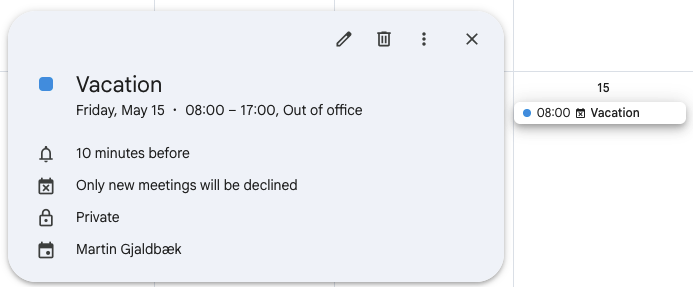
These OOO events are private: Anyone viewing the employee’s calendar sees only “Busy”, not the leave type or reason. Even better, Out of Office events in Google Calendar automatically decline any new meeting invitations that fall during the time off.
The Out of Office events are schedule-aware. Rather than blocking out the whole day, Hrvey uses each employee’s working hours to set the exact start and end times. Half-day requests use the morning or afternoon boundary from the schedule.
Incidentally, we’ve also added a new “No effect on working status” option for leave types: During these, an employee will still be marked as available in the calendar (and if you’re using the Working Hours Report, leave of this type won’t modify your working hours). This is especially useful for things like Working From Home (WFH) or business travel, where you don’t want to appear unavailable in your calendar.
The personal calendar feature is available on Hrvey Premium. The existing shared “Who is Out” calendar (which shows all approved time off across the organization) continues to be available on all plans.
Hrvey is a modern tool for managing vacation and leave - learn more here!