Choose which event types to show in calendar feeds (iCal)
Similar to the improvements we recently made to our Google Calendar integration where you can select which event types to show and which group to show time off and events for we have also rolled out the same improvements to our calendar feeds (iCal).
That means that you can now choose which event types to show in your calendar feeds and which group to show time off and events for. You can find this under Dashboard → Calendar Feeds.
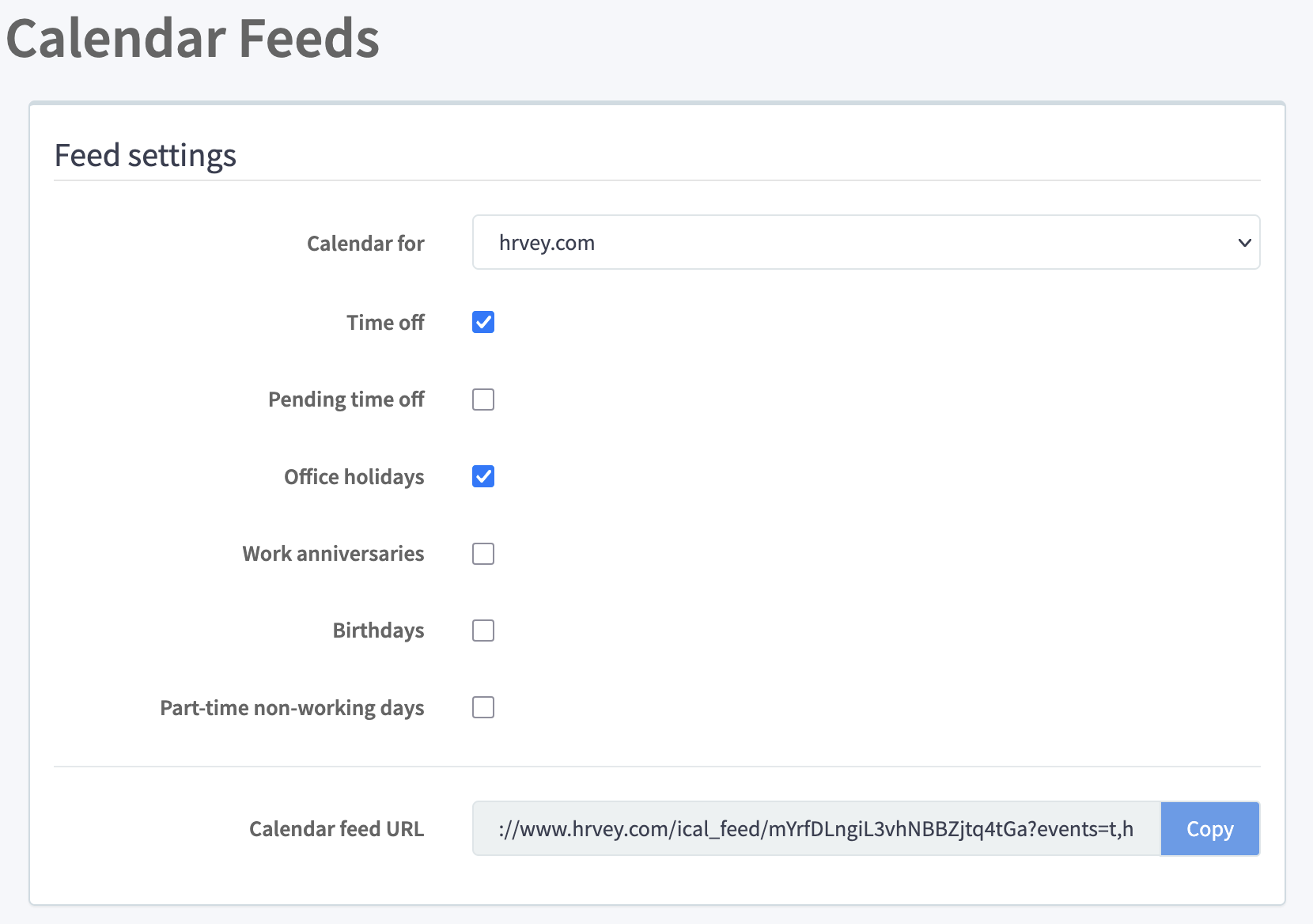
So just like the Google Calendar integration, you can choose to include:
- Approved time off
- Pending time off
- Office holidays
- Work anniversaries
- Birthdays
- Part-time non-working days (e.g. someone doesn’t work on Fridays)
And you can choose which group to show time off and events for - the whole organization, a team, an office, a specific approver’s “approvees”, or a single employee.
If you haven’t used it before, a calendar feed is a URL that you can import into your calendar app of choice, and it will show up as a separate calendar that gets updated automatically (so it’s a subscription to a calendar, rather than a one-off import). The main difference compared to the Google Calendar integration is that there can be some latency between when you create an event in Hrvey and when it shows up in your calendar feed, since it depends on how often Google/Outlook/Apple check for changes - usually every 8 hours in our testing.
These new, improved calendar feeds are available both on the free and premium plans - although the free tier can only show the whole organization’s time off and events. And the part-time non-working days feature is only available on the premium plan, since it requires setting up custom weekly schedules for the part-timers.
Hrvey is a modern tool for managing vacation and leave - learn more here!